

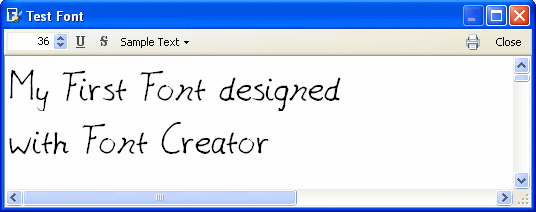
You are probably curious about the result while importing more and more characters. Well you could take your partly completed font for a test drive through the Test Font window. Just press the F5 key or select Test from the Font menu.
When all characters are imported and you don't intend to add more, you can remove all incomplete glyphs from the font. First select Select Incomplete from the Edit menu. Next select Delete from the Edit menu. Again save your font.
Now the font is ready. To make your font available to other applications select Install in the Font menu. The Font Installation wizard will guide you through the installation process. Now you will be able to select the font in any program that supports TrueType fonts.
You will most likely notice the font can be improved by moving or changing outlines. You could also rewrite a character on the template and import it again. I know some people are still slightly improving their fonts even after 5 years, so don't expect your font to be perfect with this first attempt.
The next page will describe some advanced features, that fortunately are pretty easy to accomplish.
[back to step 5] [continue with step 7]